
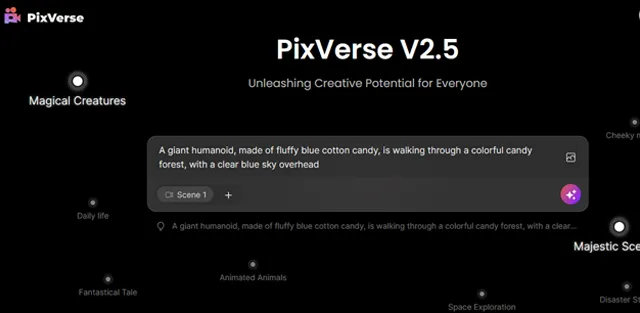

PixVerse AI V4.5
Transform Text, Images, and Characters into High-Quality Videos Effortlessly
PixVerse AI allows you create amazing character and landscape videos. This powerful AI tool effortlessly transforms multi-modal inputs like text-to-video, image-to-video, and character-to-video into stunning high definition videos in minutes and you can access the video from its video library.
About PixVerse AI V4.5
What is PixVerse AI?
PixVerse is an innovative AI-powered video creation platform, using advanced generative AI technology for producing high-definition videos.
Key Features of PixVerse AI
- Text To Video : Creates videos from text prompts with customizable style, aspect ratio, and movement settings.
- Image To Video : Turns images into videos with customizable movement and optional HD enhancement.
- Characters To Video : Creates videos from character prompts with customizable settings.
- Video Upscale : Allows to Upscale your videos to 4K resolution.
- PixVerse Community : Brainstorm creative video ideas by joining the PixVerse AI community.
Usecases
- Content Creation: Generate videos from text , images for social media, marketing, and personal projects.
- Animation: Animate static images, which are useful for ads, presentations, and storytelling.
- Video Enhancement: Upscale video quality for demos, presentations and content sharing.
- Character Animation: Create videos featuring characters with customizable settings, ideal for gaming, entertainment, and educational content.
Pros
- High-Quality Output: Produces 4k resolution HD videos.
- Versatile Features: Text-To-Video, Image-To-Video, and Character-To-Video capabilities, for various creative needs.
- Customizable Settings: Allows adjustments for video aspects like style, duration, and resolution.
- Community Engagement: Provides a platform to showcase and get inspired by other users creations.
- Auxiliary Functions: Offers features like dual clips optimization and HD quality enhancement for better results.
Cons
- Limited Video Duration: Currently supports video durations of up to 4 seconds only.
- Generation Time: Video generation can take 1-2 minutes, and server load may affect this timing.
- Concurrent Jobs Limit: Users can generate a maximum of 2 videos simultaneously, which might be restrictive for heavy users.
- Watermark Issue: Videos may include watermarks until the subscription plan for watermark removal is available.
- Content Moderation: Videos need to conform to community guidelines, which may result in content being flagged or removed.
PixVerse AI V4.5 pricing
Pricing details haven't been added for this tool yet. Check the tool's website for current pricing.
Best PixVerse AI V4.5 alternatives

CopyCopter is an artificial intelligence (AI) tool that transforms text into popular videos. This tool...
Viva AI is a platform that uses artificial intelligence so that one can make images and videos with...

Luma's Dream Machine lets you create high-quality, realistic shots from text instructions and images...

Kaiber functions as an AI creative space that aids artists in exploring their creative potential. It...
Select up to 4 alternatives with + Compare to build a side-by-side table against PixVerse AI V4.5.
Reviews & ratings
No reviews yet — be the first to share your experience.
Frequently asked questions
How does PixVerse work? +
By using advanced AI technology, PixVerse creates videos by inputting text, animating static images, or bringing characters to life, with customizable settings for style, aspect ratio, and movement. Additionally, you can upscale videos to 4K resolution and optimize prompts by generating dual video clips simultaneously.
Can I use PixVerse commercially? +
Yes, you can use PixVerse content for commercial purposes. Just make sure not to alter the downloaded content and keep all legal notices intact as per their terms of use.
How to make PixVerse videos longer? +
Currently, PixVerse supports videos up to 4 seconds long. To create longer videos, you can combine multiple clips using external video editing software.