

Pear Deck Learning
Engaging K-12 Classrooms with Fun & Effective Tools
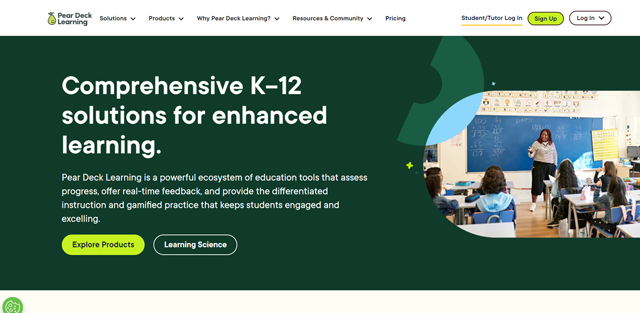
Pear Deck Learning is a suite of tools for teachers to create engaging presentations and activities for students. It helps teachers assess progress, provide real-time feedback, and make learning more fun and interactive. Pear Deck Learning's product ecosystem enables teachers to spend more time with students and less time on other tasks.
About Pear Deck Learning
What are the key features of Pear Deck Learning?
- Pear assessment.
- Pear deck.
- Pear practice.
- Pear deck tutor.
- Learning product pairings.
What are the use cases of Pear Deck Learning?
- Student engagement and active learning.
- Gamified collaboration.
- Real-time student feedback.
- Differentiated instruction and practice.
- Assessments and test prep.
- Personalized 1:1 support.
- Data warehousing.
- Standards-aligned content.
Introducing Pear Deck Learning (Source : Youtube Channel : Pear Deck Learning)
What is Pear Assessment?
Pear Assessment is a robust platform that blends user-friendliness with the customization required to deploy typical tests at scale.
Use cases of Pear Assessment
- Implement common benchmark.
- In-depth data at glance.
- Create classroom formatives.
- Ensure secure testing.
- Gain critical insight.
- See the 360 degree view of student progress.
- Keep students engaged with video based assessments.
What is Pear Deck?
Pear Deck is an interactive presenting platform that improves teacher-student interactions by providing real-time feedback and individualized instruction.
Use cases of Pear Deck
- Increase engagement.
- Encourage greater participation.
- Provide real-time student feedback.
- Close learning gaps.
- Make faster, smarter decisions.
What is Pear Practice?
Pear Practice provides collaborative game experiences in the classroom as well as tailored learning tracks for solo practice, ensuring that every student has an equal chance of success.
Use cases of Pear Practice
- Engaging live class sections.
- Strengthen classroom culture.
- Practice that feels like play.
- Differentiated practice.
- Just-in-time feedback.
- Personalized practice sets.
What is Pear Deck Tutor?
Pear Deck Tutor helps schools, districts, colleges, and institutions provide more individualized learning experiences.
Use cases of Pear Deck Tutor
- Personalize training.
- Empower students.
- Put tutors in your teachers team.
- Expert tutors in every subject.
- “In-person” tutoring quality - online.
- Get prompt feedback from writing experts.
Who can use Pear Deck Learning?
- Educators.
- Schools and districts.
- Tutors.
- Higher education institutions.
Pear Deck Learning: The All-in-One EdTech Solution

Pear Deck Learning: Drive Student Success Through Effective Assessment

All-in-One Data Dashboard: Pear Assessment's Data Studio

Boost Student Engagement & Active Learning with Pear Deck

Teachers: Create Engaging & Active Learning Experiences with Pear Deck

How much does Pear Deck Learning cost?
- Pear Deck Learning offers a free plan for teachers.
- The Teacher Premium plan costs $125 per year.
- School and District pricing plans are custom.
What are the pros and cons of Pear Deck Learning?
Pros of Pear Deck Learning
- SIS and LMS integration.
- Shared content libraries.
- Automatic graded answers.
- Real time insights.
- Personalized tutoring.
- 80k+ standard aligned questions.
- Content orchard.
Cons of Pear Deck Learning
- Cost.
- Time consuming.
- Feedback platform is limited.
Pear Deck Learning pricing
Pricing details haven't been added for this tool yet. Check the tool's website for current pricing.
Best Pear Deck Learning alternatives

IsotopeAI is your all-in-one platform for AI-powered learning, productivity tools, and collaborative...

Diffit is an AI tool that provides learning resources for all. It provides the right instructional materials...

In the realm of academic writing, ensuring originality and proper citation is paramount. Scribbr offers...

AutoClassmate is an automatic classmate for teachers that enhances student learning. It keeps teachers...
Select up to 4 alternatives with + Compare to build a side-by-side table against Pear Deck Learning.
Reviews & ratings
No reviews yet — be the first to share your experience.
Frequently asked questions
What is Pear Deck Learning? +
Pear Deck Learning is a platform for teachers to create interactive presentations, activities, and assessments for students.
How does Pear Deck Learning integrate with other educational software (SIS/LMS)? +
Pear Deck Learning offers integrations with various Student Information Systems (SIS) and Learning Management Systems (LMS) for easier data management.
Can I share presentations and activities with other teachers using Pear Deck Learning? +
Yes, Pear Deck Learning provides shared content libraries where educators can collaborate and share resources.
What types of assessments can I create with Pear Assessment? +
Pear Assessment allows you to create various assessments, including common benchmarks, quizzes, and classroom formative assessments.
What kind of feedback can I give students with Pear Deck? +
Pear Deck allows for real-time text-based feedback.
What's included in the Teacher Premium plan compared to the free plan? +
The Teacher Premium plan offers additional features like automatic grading, access to a larger question bank, and priority support, compared to the free plan's basic functionalities.
Do schools and districts get any discounts on Pear Deck Learning? +
Pear Deck Learning offers custom pricing plans for schools and districts.
Can I use Pear Deck Learning to create flipped classroom experiences? +
Pear Deck's interactive presentations and student pacing can be useful for flipped classroom settings.
Does Pear Deck Learning offer any features for student self-assessment? +
Pear Deck presentations include formative assessment elements where students reflect on their learning.
What are some alternatives for Pear Deck Learning? +
Some alternatives for Pear Deck Learning are Nearpod, Kahoot, and Mentimeter.