In this article
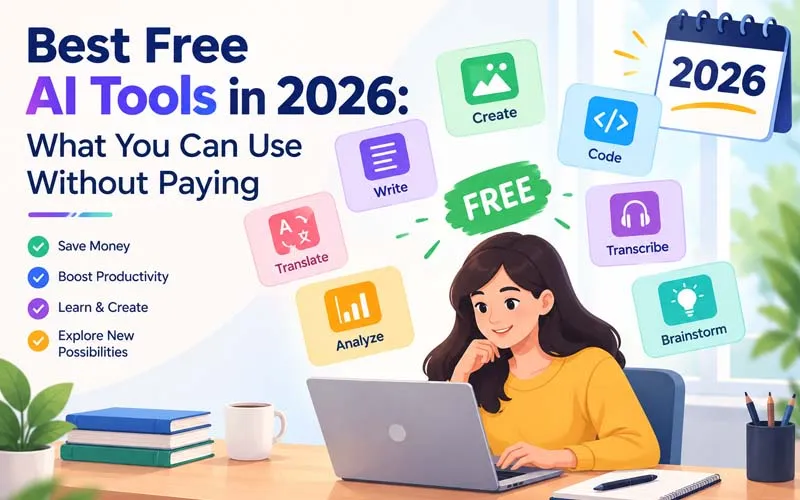
You do not need a big budget to benefit from artificial intelligence. Many of the best AI tools offer a free plan, a free trial, or a free tier that is good enough for everyday work. The catch is that free plans come with limits, and those limits change often. This guide covers the best free AI tools in 2026, grouped by what they do, with honest notes on what to expect and when it makes sense to upgrade.
Note: free plans, usage limits, and features change frequently. Always check each tool's official website for its current free offering before you rely on it.
What "Free" Really Means for AI Tools
Not all free tools are free in the same way. Knowing the difference helps you avoid surprises.
- Free forever plan: A limited version you can keep using at no cost, usually with caps on usage or features.
- Free trial: Full access for a short time, after which you must pay or lose access.
- Freemium: Basic features are free, while advanced features, higher limits, or commercial use need a paid plan.
- Open-source: The software itself is free to use, though you may need technical skills or your own computer to run it.
Best Free AI Tools by Category
1. Free AI Chat and Writing Assistants
These all-rounders help you write, brainstorm, summarise, and learn. Most offer a free plan with daily or hourly usage limits and access to a standard model.
- ChatGPT (free plan): A well-known assistant for writing, questions, and brainstorming.
- Claude (free plan): Good for long-form writing, careful explanations, and reading long documents.
- Google Gemini (free access): A natural fit if you use Gmail, Google Docs, and other Google services.
- Microsoft Copilot (free access): Handy for quick answers and for people in the Microsoft ecosystem.
Good to know: Free plans usually cap how many messages you can send in a period, and the most advanced features are often reserved for paid users.
2. Free AI Research and Study Tools
- Perplexity (free tier): An AI answer engine that shows its sources so you can check the facts.
- NotebookLM: Lets you upload your own notes and documents and ask questions about them, which suits students and researchers.
- Consensus and Elicit (free tiers): Help you explore academic papers and scientific findings.
3. Free AI Image and Design Tools
- Canva (free plan): Offers AI-assisted features for social posts, presentations, and simple graphics, with some premium tools locked.
- Adobe Express and Firefly (free access): Beginner-friendly design with limited free generation credits.
- Microsoft Designer and Bing-style image creators: Quick text-to-image options for casual use.
- Leonardo AI (free tier): Image generation with a daily or monthly allowance of credits.
Good to know: Check the licence terms before using free-generated images commercially, since rules differ between tools and plans.
4. Free AI Video and Audio Tools
- CapCut (free version): Popular for short-form video editing with AI features such as auto captions.
- Descript (free plan): Edit audio and video by editing the transcript, with limits on exports and features.
- ElevenLabs (free tier): Natural-sounding voice generation with a monthly allowance.
- Otter.ai (free plan): Meeting transcription with a limited number of minutes.
5. Free AI Coding Tools
- GitHub Copilot (free tier): Code suggestions and chat inside popular editors, with monthly limits.
- Cursor (free plan): An AI-first code editor with a limited free allowance.
- Google AI Studio: A place to experiment with models and prototype ideas, useful for learning.
- Hugging Face: A huge community hub of open models and demos you can try for free.
Good to know: Always review and test AI-generated code before using it in a real project.
6. Free AI Productivity Tools
- Grammarly (free version): Checks spelling, grammar, and clarity as you write.
- Notion (free plan): A flexible workspace for notes and planning, with AI features that may be limited or trial-based.
- Google Workspace AI features: Some assistance is available in standard Google apps at no extra cost.
7. Free AI Automation Tools
- Zapier (free plan): Connect apps and automate simple tasks with a limited number of runs.
- Make (free plan): A visual workflow builder with monthly operation limits.
- n8n (self-hosted community edition): A flexible option for technical users who are comfortable hosting it themselves.
8. Free Open-Source AI Tools You Can Run Yourself
If you have a reasonably capable computer and some technical comfort, open-source tools let you run AI models locally with no subscription.
- Ollama: Makes it easier to download and run open models on your own machine.
- LM Studio: A friendly desktop app for trying local models.
- Stable Diffusion-based tools: Generate images locally, with more control but a steeper learning curve.
Good to know: Running models locally keeps your data on your own device, which can help with privacy, though performance depends on your hardware.
Quick Reference Table
| Need | Free options to try | Typical limit |
|---|---|---|
| Writing and chat | ChatGPT, Claude, Gemini, Copilot | Message caps, standard models |
| Research | Perplexity, NotebookLM | Limited advanced searches |
| Design and images | Canva, Adobe Express, Leonardo | Credits and premium assets |
| Video and audio | CapCut, Descript, ElevenLabs | Export and minute limits |
| Coding | GitHub Copilot, Cursor, Hugging Face | Monthly usage allowance |
| Automation | Zapier, Make, n8n | Task or operation caps |
| Local and open-source | Ollama, LM Studio | Depends on your hardware |
Best Free AI Tool Combinations for Different People
For Students
Use a free chat assistant to understand difficult topics, NotebookLM to study from your own notes, and Grammarly to polish essays. Use AI to learn, not to replace your own work.
For Freelancers and Bloggers
Combine a free writing assistant for outlines, Canva for graphics, and a free meeting transcriber for client calls. Add a free automation plan to remove small repetitive tasks.
For Small Business Owners
Start with a chat assistant for emails and product descriptions, Canva for social posts, and Zapier or Make for simple automations such as saving form leads to a spreadsheet.
For Beginner Developers
Try a free coding assistant, browse open models on Hugging Face, and experiment with a local tool like Ollama to understand how models work.
Limits of Free AI Tools
- Usage caps: You may run out of messages, credits, or minutes in the middle of a project.
- Slower or less advanced models: Premium models are often reserved for paying users.
- Watermarks and export limits: Some design and video tools restrict quality or add branding on the free plan.
- Commercial-use restrictions: Check the terms before using output for client or business work.
- Less privacy control: Free personal plans may offer fewer data controls than business plans.
- Changing terms: A tool that is free today may reduce or remove its free plan later.
Tips to Get the Most From Free AI Tools
- Spread your tasks across tools. If one reaches its limit, another can take over.
- Write clear prompts. A well-written request means fewer retries and less wasted usage.
- Save your best prompts. Reuse what works instead of starting from scratch.
- Do the heavy tasks first. Use your limited free allowance on the work that matters most.
- Protect your data. Avoid pasting passwords, financial details, or confidential client information.
- Review everything. Check facts, figures, and code before you publish or use them.
Final Thoughts
You can accomplish a surprising amount with free AI tools. Start with one general assistant, add a specialised tool for your biggest task, and watch the limits so you know when a free plan stops being enough. Combine tools wisely, protect your data, and review every output. With the right free toolkit, AI can boost your work without costing you a rupee.
Frequently asked questions
Are free AI tools really free?
Many are free to use within limits. Some are free only for a trial period, so always read the plan details before you sign up.
Which is the best free AI tool for beginners?
A general chat assistant is the easiest starting point. It helps with writing, explanations, and brainstorming, and teaches you how to give clear instructions.
Can I use free AI tools for business work?
Often yes, but check each tool's terms on commercial use and data handling. For sensitive client data, a paid business plan may be safer.
Are free AI tools safe?
Reputable tools can be safe if you read their privacy policy and avoid sharing sensitive information. Be cautious with unknown tools that ask for excessive permissions.
Will free AI plans disappear?
Plans change over time. Features can move to paid tiers or limits can tighten, so avoid building your entire workflow on a single free plan.
Get posts in your inbox
One email a week — new guides, comparisons and the AI tool news actually worth reading.
✓ You're subscribed — check your inbox to confirm.