

Magic Hour AI
Free AI Face Swap Online for Photos & Videos
Free AI Face Swap Online for Photos & Videos (No Sign-Up)
About Magic Hour AI
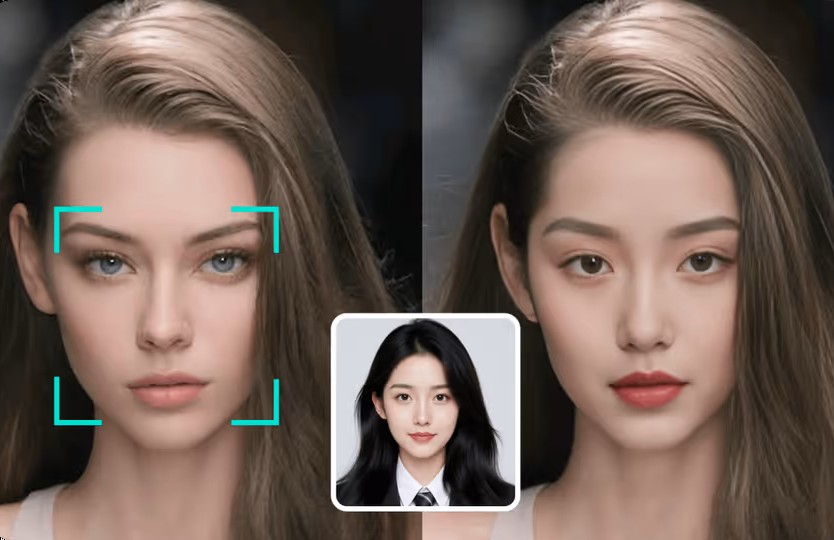
Magic Hour AI Face Swap is a powerful, browser-based tool that delivers studio-quality, realistic face replacements in both videos and photos, requiring zero editing experience. Targeted users include professional content creators, marketers, and filmmakers who need high-fidelity assets instantly. Key use cases involve creating engaging, cost-effective marketing campaigns-allowing brands to test different casting ideas without expensive reshoots-and generating viral social media content or cinematic pre-visualization. The platform is ideal for anyone seeking quick, professional-grade AI functionality.
Magic Hour AI pricing
Best Magic Hour AI alternatives
No alternatives found in this category yet.
Select up to 4 alternatives with + Compare to build a side-by-side table against Magic Hour AI.
Reviews & ratings
No reviews yet — be the first to share your experience.
Frequently asked questions
Is face swap free to use? +
Yes! We offer 400 free credits to get started with Magic Hour and create your first face swap. To create additional content beyond the 400 credits, subscribe to our Creator, Pro, or Business plan or purchase a credit pack.
Can I swap multiple faces in one video? +
Yes! Our tool supports swapping multiple faces by letting you select the before and after face for each person individually. Access this feature by clicking 'Multi Face Swap' in the dashboard version of our face swap tool.
What type of photo or video works best for face swapping? +
For photos, choose a high-resolution image of your subject's face that shows the entire face clearly in good lighting, without other faces or obstructions. For videos, use clear, well-lit footage with consistent face visibility. Avoid low-quality or heavily edited files to ensure realistic swaps.
How do I create a face swap AI video? +
Creating a face swap AI video with Magic Hour is simple: 1. Upload your video or enter a YouTube URL. 2. Upload a photo of the face you want to swap in. 3. Select the faces in your video to swap (either all faces or individual faces). 4. Click render and let our AI process it. 5. Download your swapped video.