
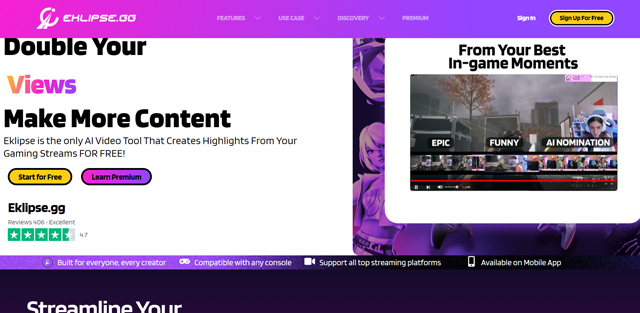

Eklipse.gg
Automate Gaming Highlights & Boost Your Social Media Presence
Eklipse is a free AI-powered video tool allows you create highlights from your gaming streams. You can create awesome Tiktok clips from your Twitch streams for free with Eklipse.
About Eklipse.gg
What is Eklipse?
Eklipse is an AI-powered video editing tool specifically designed for gamers and streamers. Eklipse AI converts Twitch Clips To TikTok, Reels, and Shorts for free.

TD:LR
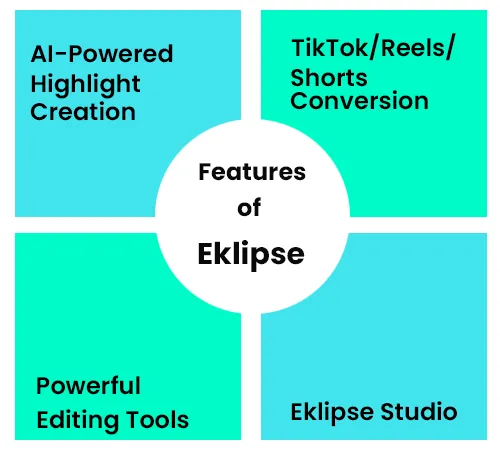
- AI-Powered Highlight Creation
- Effortless Conversion to TikTok/Reels/Shorts
- Free & Advanced Editing Tools
- Premium Features: Voice Commands & Faster Processing
- Direct Scheduling & Sharing to Social Media
Eklipse.gg: Stream Smarter, Not Harder - AI Highlights & Social Media Magic
Are you a youtuber , Twitch streamer or gaming enthusiast and constant need to clip, edit, and share your streams across social media? Well, Eklipse.gg has your back! It's like having a personal assistant for your gaming streams. Eklipse is an AI-powered gaming stream highlight video generator tool designed to automate highlight creation and social media preparation.
Tired of manually clipping your Streams? Eklipse.gg uses AI to generate highlights for FREE!
Manually clipping streams can be a tedious task for a video editor. Eklipse.gg uses AI to generate video highlights and boost your social media presence, so you can easily share your Twitch streams on TikTok, YouTube Shorts, and Instagram Reels.
Here's what Eklipse can do for you:
- AI-powered Highlights: Eklipse capture the best moments in your streams and generate short clips.
- Effortless TikTok/Reels/Shorts Conversion: You can resize your clips to the perfect vertical format with just a few clicks.
- Free & Powerful Editing Tools: You can add custom text, captions, and channel stickers to personalize your clips and boost your brand.
- Schedule & Share to Social Media: You can schedule your content and share your clips directly to TikTok, YouTube, and Facebook.
Eklipse Premium offers many features:
- Voice Commands: You can control Eklipse with your voice while you stream. Say "Clip That" to capture those epic moments in real-time. This option is currently available for free.
- Faster Processing: You can generate highlights created 3x faster with Premium.
- 1080p Quality: You can share your clips in stunning high definition.
- Longer Storage: You can store up to 3 streams with 12 hours of footage each.
- Automatic Processing: You can set Eklipse to automatically process your streams.
Upgrade to Eklipse.gg Premium today and revolutionize your streaming experience!
Eklipse.gg: Your All-in-One Stream Highlight Tool? Explore its Features
- Gaming Stream Highlights
- Eklipse Studio
- Content Publisher
- Voice Command
- Add Memes to gaming Clips
- Mobile App available
- Professional Edits
- Connect Kick streams
- Twitch to Tiktok
What are the use cases of Eklipse AI?
- COD Streamers
- Apex Streamers
- Fortnite Streamers
- Console Streamers
Eklipse.gg Premium: Monthly vs. Annual - Which Plan is Right for Streamers & Creators?
Eklipse Premium Plans offer the following benefits to subscribers:
Monthly Premium Plan: $19.99/Month
Annual Premium Plan: $149.99/Year (Save $89.89)
Common Premium Benefits (Both Plans):
- Full access to shorts/reels creation
- Watermark-free clips
- Schedule posts with Content Planner
- 3x faster processing speed
For Gaming Streamers:
- 1080p clips quality
- Auto clip processing
- Support for Kick clips
- Voice command access
- 90 days clip storage
- Process 3 streams (up to 12 hours each) daily
- Auto gaming highlights from Twitch, YouTube, Facebook, Kick
For Video Creators/Marketers/Agencies:
- Convert YouTube links to instant clips
- 30 minutes YouTube upload credits
- Option to purchase more credits
Eklipse.gg AI - Useful Links
Eklipse.gg pricing
Best Eklipse.gg alternatives

Crayo AI allows you to create short videos for TikTok, Instagram, and YouTube. Users can make unlimited...
Select up to 4 alternatives with + Compare to build a side-by-side table against Eklipse.gg.
Reviews & ratings
I love this tool; I am gonna give 5 out of 5. It's so easy to use, superb layout, and amazing editing experience for my TikTok clips. It really saves my time. Loved it!
Frequently asked questions
How can I convert Kick clips to TikTok, Reels, or Shorts using Eklipse? +
To convert Kick clips with Eklipse, sign up and create an account. From the "Home" menu, click the "Start Converting" button on the right side. You’ll be redirected to studio.eklipse.gg, where you can upload your Kick clip by clicking the "Upload Clip" button.